Vérifications de mise en service d'un indicateur d'état de condensateur BY83
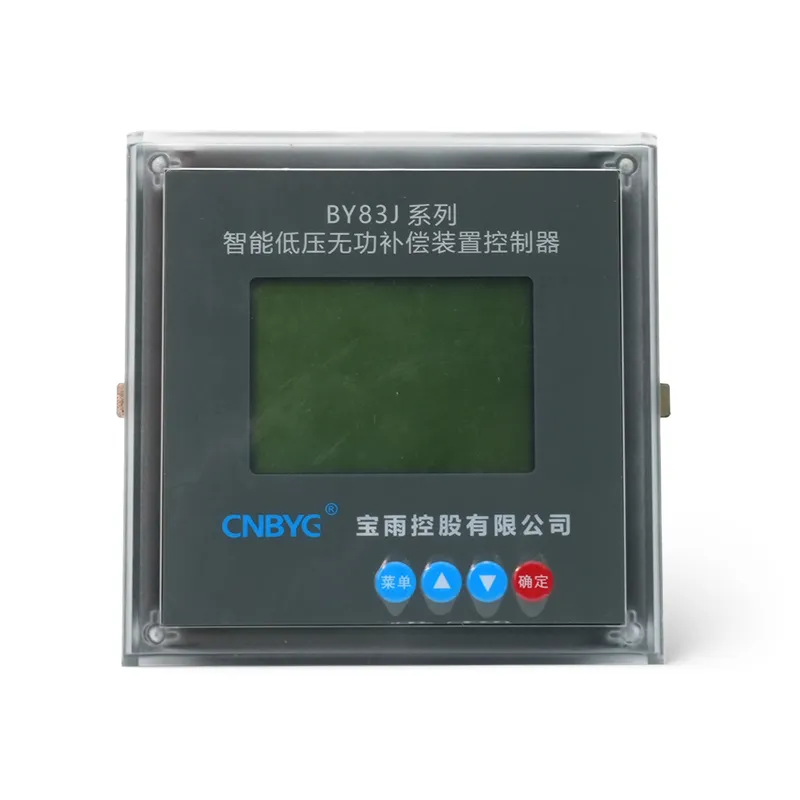
Capacitor state indicator commissioning should leave a reviewer with more than a lit display or a cabinet photograph. Keep the panel boundary, terminal identification, communication record, observed indication, alarm record, and test method together before treating any status as meaningful.
Réponse directe
Commission an indicator by documenting what was observed, where it was observed, and how it was checked. A display state is evidence from a named device; it is not, by itself, proof of circuit operation, compatibility, protection performance, or project acceptance.
Part 1. Set the commissioning boundary before testing
Name the cabinet, controller, connected equipment, drawing revision, and test window. This lets a later reviewer tell whether an indication belongs to the same scope as the test record. A broad statement that a bank is “normal” cannot replace a defined boundary.
| Question | Preuve | Boundary to retain |
|---|---|---|
| What device reported state? | model and display/export | named cabinet and panel |
| What was checked? | test method and timestamp | identified terminals and equipment |
| What remains unverified? | exception note | protection and acceptance scope |
Utilisez le reactive power compensator overview for product-line context; this page addresses the narrower commissioning record.
Part 2. Preserve drawings and terminal identification
Before a status is interpreted, retain the latest available one-line and terminal information, cabinet identification, controller label, and the connection record used for the test. This is especially important when drawings, cabinet hardware, or commissioning teams change between revisions.
| Enregistrement | Pourquoi c'est important | Avoid |
|---|---|---|
| drawing revision | identifies the reviewed arrangement | relying on a remembered terminal number |
| terminal and cable labels | connects observation to a physical boundary | inferring wiring from a front image |
| controller documentation | keeps the test tied to a product scope | applying another family’s instructions |
Part 3. Record indications and alarms as observed evidence
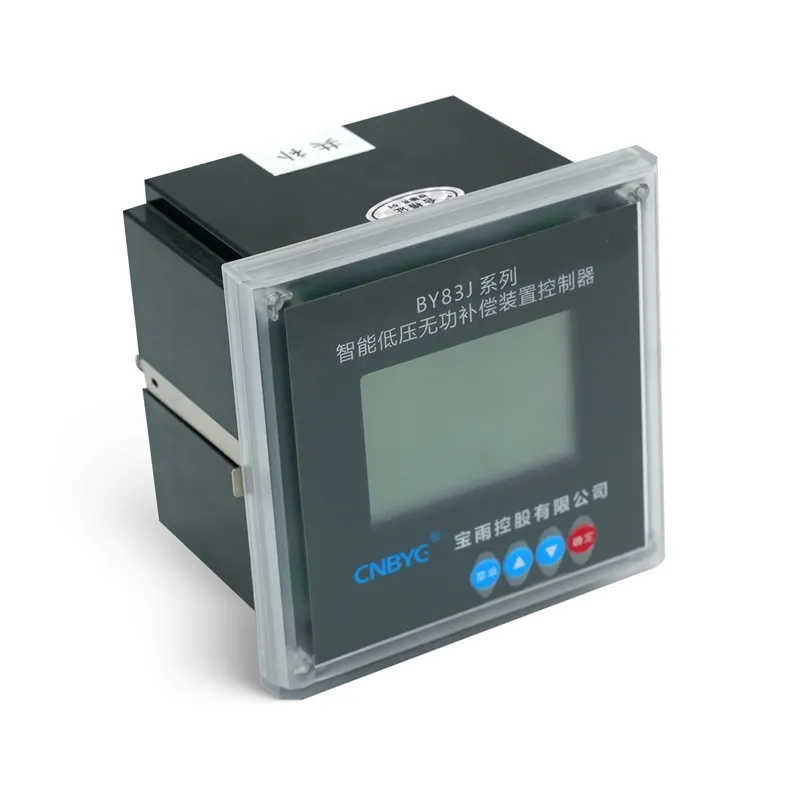
An indication is most useful when it is paired with timestamp, operating state, test action, available alarm information, and the person or method that recorded it. Keep an observed indication distinct from a verified field condition unless the project test method explicitly establishes that relationship.
| Evidence item | What it can show | What it cannot show alone |
|---|---|---|
| display or export | reported device state | whole-system acceptance |
| alarm log | a reported exception | root cause or corrective result |
| test record | a defined observation | compatibility beyond its method |
Part 4. Keep communication checks separate from circuit conclusions
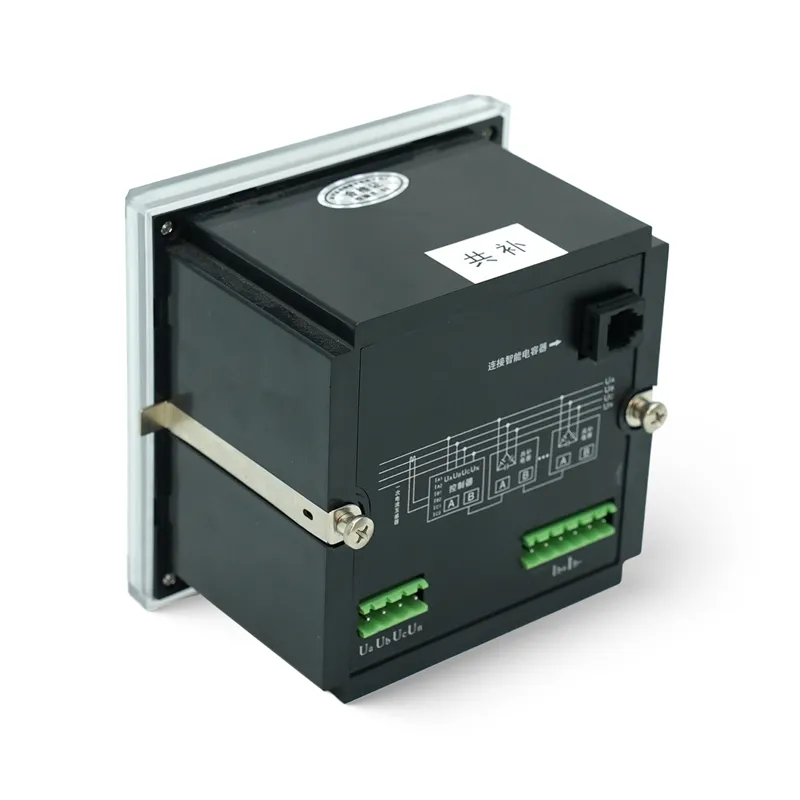
CNBYG's BY83 product page describes an RS485 connection to listed BY smart-capacitor families. Preserve the panel’s actual connection record, device identification, and communication observation; do not convert this product-page statement into an unverified claim about an installed panel.
| Communication record | Valeur de l'avis |
|---|---|
| named devices and documentation revision | defines the stated scope |
| observed link or fault record | makes the event traceable |
| drawing and terminal reference | supports a controlled follow-up |
Part 5. Compare state records with the operating context
If a record is compared, match source arrangement, load condition, stage configuration, and the measurement/test method. The Schneider Guide d'installation électrique explains why capacitor-bank context should include harmonic and topology information where relevant.
Important : Record the observed indication together with the circuit and operating context. Do not present a status display as proof that a harmonic condition, capacitor stage, or project outcome has been corrected. (Schneider Electric Electrical Installation Guide)
La compound-switch record review gives a separate chronology method for switching evidence.
Part 6. Prepare BY83 product-context and RFQ inputs
The BY83 page is a useful product-context starting point after the cabinet record is complete. It is not a substitute for a project drawing, installation review, test plan, or approved commissioning procedure.
| L'acheteur devrait fournir | Pourquoi c'est important | Erreur courante |
|---|---|---|
| BY83 model and documentation revision | preserves product scope | using a generic product name only |
| panel drawing and terminal record | defines the installation boundary | asking for a conclusion from photos |
| connected device list, alarms and test method | makes communication/status evidence reviewable | calling observed status acceptance |
Fit boundary: use this package to prepare a clear review or inquiry. It does not authorize live work or establish compatibility, performance, compliance, or commissioning acceptance. Send the panel record for product-context review when the project inputs are ready.
FAQ
What does a capacitor state indicator confirm?
It records or displays a state from a named device. Its meaning depends on the documented panel boundary, connected equipment, and test method.
What should be retained during commissioning?
Keep the drawing revision, controller identification, terminal record, observed state, alarms, operating window, and test method together.
Does an RS485 observation prove the whole cabinet is accepted?
No. It is a communication observation within a defined scope and does not replace project acceptance evidence.
Should alarms be deleted after a test?
Retain the relevant alarm record with the test context so a reviewer can distinguish an observed exception from a corrected project condition.
Why note harmonic or topology context?
Capacitor-bank observations can depend on system conditions. Record the context without making a diagnosis or result claim.
When is qualified project review needed?
Use it for live work, unclear wiring, protection concerns, communication faults, acceptance decisions, or any conclusion beyond the defined observation.